
It started at 11:30 PM on a Tuesday. I had all my documents ready to check my status for the 2026 tax season. I navigated to the IRS site, clicked “Sign In with ID.me,” and waited.
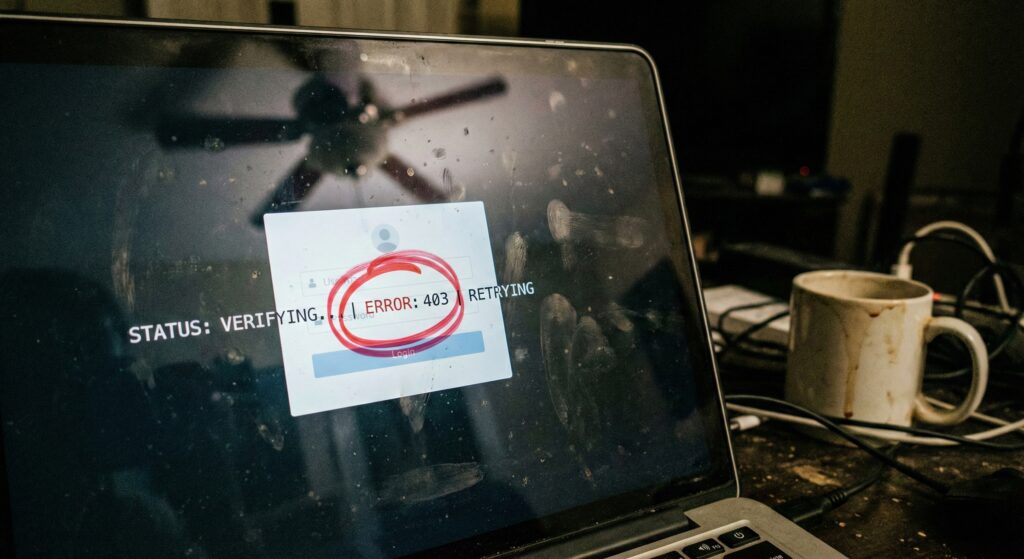
The wheel spun. It verified my face. It sent the text code. Then, it redirected me right back to the login page. Nothing happened.
If you are stuck in this endless “login loop” where the IRS site keeps kicking you back to the start, you are running out of patience. I know the feeling. Millions of Americans use ID.me to access IRS, SSA, and VA benefits, and when the system glitches, it feels personal.
Here is the fix that worked (BLUF): The loop is almost always caused by a “corrupted session” in your browser. You cannot just refresh the page. You must force the system to forget you were ever there.
The “Nuclear Option” Browser Reset
Most people try to just close the tab. That is not enough. The cookies storing your failed login attempt are still stuck in the background.
When I finally broke the loop, I didn’t just clear history. I switched devices entirely. If you are on an iPhone using Safari, the “Prevent Cross-Site Tracking” setting often breaks the hand-off between ID.me and the IRS.
Try this specific sequence:
- Turn off Wi-Fi. Switch to cellular data (5G/LTE). Sometimes local IP addresses get flagged.
- Open an Incognito/Private window. Do not use your standard browser tab.
- Type the address manually. Do not click a bookmark. Go to IRS.gov/account directly.
Why The Loop Happens (It’s Not Just You)
The technology behind the “handshake” between the government and the verification service is fragile. If your phone clock is even one minute off from the server time, the security token expires instantly.
Common Error Signals:
- “403 Forbidden” after face scan.
- Redirecting to the profile page instead of the IRS tool.
- The “We couldn’t verify your device” text message.
Troubleshooting Checklist
If the “Private Window” trick doesn’t work, review this table. I went through three of these steps before I finally saw my transcript.
| Error Symptom | Likely Culprit | The Fix |
| Spinning Forever | Pop-up Blocker | Disable all ad-blockers for .gov sites. |
| “Session Expired” | Time Sync | Go to Settings > Date & Time > “Set Automatically.” |
| Loop to Start | Safari Privacy | Settings > Safari > Turn OFF “Block All Cookies.” |
| Camera Fail | Browser Permissions | Chrome Settings > Site Settings > Camera > Allow. |
When to Give Up and Video Chat
Sometimes, the automated system just hates your lighting. I have a friend, “M. Smith,” whose camera on an older Android phone just wouldn’t focus on his ID. He tried 15 times.
Eventually, he had to select “I don’t have a smartphone” (even though he did) to trigger the Video Chat Agent option. Yes, the wait times are long—sometimes 2+ hours in peak February—but it is the only way to bypass the automated glitch if your camera is the issue.
Don’t panic. This glitch does not mean your tax return is rejected. It just means the front door is stuck.
Disclaimer: This article is for informational purposes only and does not constitute financial or legal advice. Always consult official government resources.

Evan Cole Editor-in-Chief | Breaking News & Public Policy
“From Washington to Wall Street, and Main Street to Hollywood—Evan Cole connects the dots.”
As the Editor-in-Chief at Newskilo, Evan leads a dynamic team of journalists dedicated to uncovering the truth behind the headlines. With over 15 years in digital media, Evan has a reputation for cutting through the noise.
While he is widely recognized for his deep analysis of U.S. fiscal policy (IRS & Stimulus), Evan’s expertise extends to global current events, corporate accountability, and cultural trends. Whether he is breaking down a complex government bill, exposing a tech giant’s failure, or analyzing the societal impact of a viral celebrity moment, Evan’s goal is simple: To tell the stories that shape our world with clarity, accuracy, and integrity.