
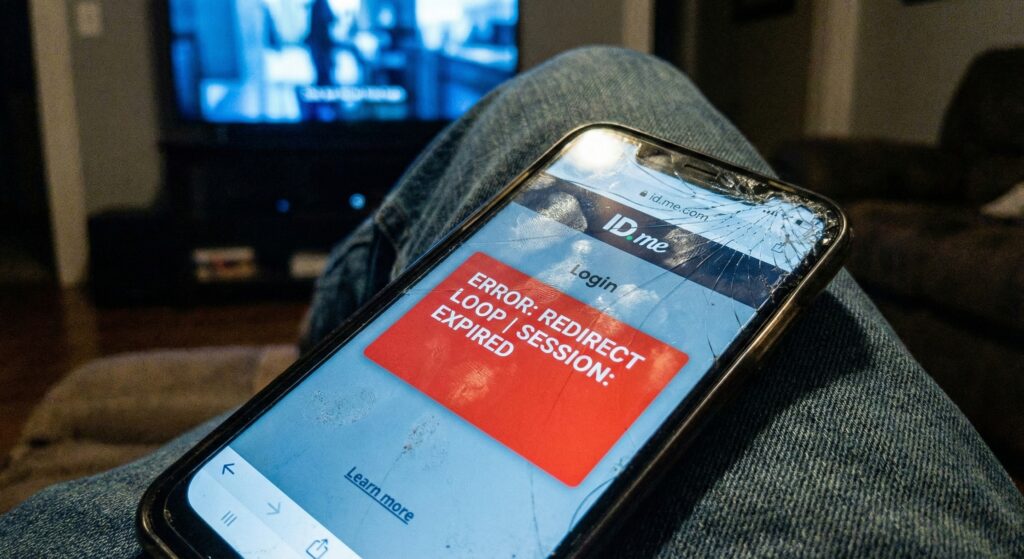
Bottom Line: If you verify your identity on ID.me, get redirected to the IRS, and are immediately kicked back to the “Sign In” page, do not keep trying. You are in a cookie conflict loop.
Thousands of early filers in February 2026 are reporting this exact glitch. It is terrifying because it feels like your return is blocked. Usually, it is just your browser fighting with the IRS security protocols.
Here is the 3-step fix that works for 90% of users.
Step 1: The “Nuclear” Browser Clear The IRS servers use strict session tokens. If you have an old token from last year (or even yesterday) saved in your cache, the new login will fail.
- Chrome/Safari: Go to Settings > Privacy > Clear Browsing Data.
- Crucial: Select “All Time” (not just “Last Hour”).
- Close the browser app completely and reopen it.
Step 2: Use Incognito Mode (The Real Fix) If clearing the cache fails, open a “Private” or “Incognito” tab.
- Go directly to IRS.gov/account.
- Click “Sign into your Online Account.”
- Log in with ID.me credentials. Because Incognito mode has zero saved cookies, it forces a fresh “handshake” between ID.me and the IRS.
Step 3: The “Specific Notice” URL Are you verifying because you got a 5071C or 6331C letter? Do not just log into your main account. You must use the specific verification portal found at IRS.gov/verify. If you use the general login, the system won’t trigger the “Verification Complete” marker on your tax return.
Troubleshooting the “Error 8028”
| Error Message | Meaning | Fix |
| Looping to Sign-In | Browser Cache Conflict | Use Incognito Mode |
| Error 8028 | Session Timed Out | Wait 15 mins, try again |
| “Access Denied” | IP Address Flagged | Turn off VPN/Wi-Fi, use Mobile Data |
When to Call If you have tried Incognito, turned off your VPN, and still cannot get in, your account might be locked for “Suspicious Activity.”
- Do not call the main 1040 number.
- Call the Taxpayer Protection Program (TPP) line listed on your letter (usually 800-830-5084). Be ready to spend 2+ hours on hold.
Final Tip: Try logging in at off-peak hours (after 7 PM ET). The 2026 server load is massive right now, and traffic spikes often trigger these loops.
Disclaimer: This article is for informational purposes only and does not constitute financial or legal advice. Always consult official government resources.

Evan Cole Editor-in-Chief | Breaking News & Public Policy
“From Washington to Wall Street, and Main Street to Hollywood—Evan Cole connects the dots.”
As the Editor-in-Chief at Newskilo, Evan leads a dynamic team of journalists dedicated to uncovering the truth behind the headlines. With over 15 years in digital media, Evan has a reputation for cutting through the noise.
While he is widely recognized for his deep analysis of U.S. fiscal policy (IRS & Stimulus), Evan’s expertise extends to global current events, corporate accountability, and cultural trends. Whether he is breaking down a complex government bill, exposing a tech giant’s failure, or analyzing the societal impact of a viral celebrity moment, Evan’s goal is simple: To tell the stories that shape our world with clarity, accuracy, and integrity.