
It’s Sunday night, February 22. You’ve seen the screenshots all over social media. Friends, family, and strangers are posting their “846 Refund Issued” dates for February 25.
You frantically opened the “Where’s My Refund” (WMR) app, expecting good news. Instead, you saw the same thing you’ve seen for two weeks: “Return Received.” One lonely orange bar. No approval date. No deposit info.
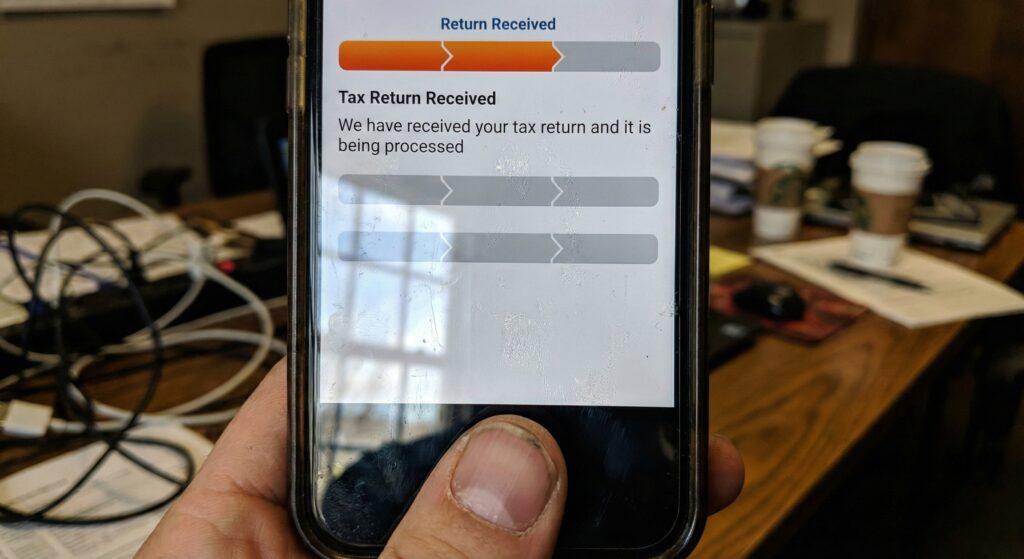
Take a deep breath. You are not necessarily being audited. You are simply “Left Behind” in the processing cycle. While millions updated this weekend, millions more did not.
Here is why your status didn’t move and the exact date you need to check again.
Reason 1: You Are a “Weekly” Filer (Cycle 05)
The IRS computer system is ancient. It processes returns in batches.
- Daily Batches (01-04): Update Tuesday through Friday.
- Weekly Batches (05): Update only on Friday mornings (Transcripts) and Saturday mornings (WMR).
If you checked today (Sunday) and saw no change, your return was likely re-sequenced. This means you missed the cutoff for this week’s “Mass Drop.” You will not see another major update on your transcript until Friday morning, February 27.
Reason 2: The “Re-Sequencing” Delay
Sometimes, a return is pulled from the automated line for a manual glance. This isn’t an audit. It’s a “quality review.”
- Common Trigger: Did you claim the Solar Energy Credit or a new dependent?
- The Result: Your return is placed in a “hold” queue (Code 570) for 1-2 cycles.
- The Fix: Usually, nothing. The system often clears itself within 7-14 days.
Reason 3: Identity Verification (The Silent Killer)
This is the most dangerous reason for a “No Update.”
- The Sign: WMR status changes from “Received” to “Action Required: Verify Your Identity.”
- The Fix: You must wait for the 5071C letter. You cannot verify until you have the control number from that letter.
- Check: Look at your IRS Account notifications. If you see a digital notice there, act immediately.
The “Next Wave” Schedule
If you missed the Feb 25 deposit date, here is your likely timeline.
| If Your Transcript Updates… | Your Likely Deposit Date (846) |
| Friday, Feb 27 (Morning) | Wednesday, March 4 |
| Friday, March 6 (Morning) | Wednesday, March 11 |
Crucial Advice:
Stop checking WMR every hour. It updates once a day, usually overnight. Checking it 50 times will trigger a “Usage Limit Exceeded” lock-out, preventing you from seeing updates for 24 hours.
Next Step:
Wait until Friday morning. Log into your IRS Online Account and check your 2025 Account Transcript. If you see Code 846 then, you are safe. If you see Code 570 or 971, you are in for a longer wait.
Disclaimer: This article is for informational purposes only and does not constitute financial or legal advice. Always consult official government resources.

Evan Cole Editor-in-Chief | Breaking News & Public Policy
“From Washington to Wall Street, and Main Street to Hollywood—Evan Cole connects the dots.”
As the Editor-in-Chief at Newskilo, Evan leads a dynamic team of journalists dedicated to uncovering the truth behind the headlines. With over 15 years in digital media, Evan has a reputation for cutting through the noise.
While he is widely recognized for his deep analysis of U.S. fiscal policy (IRS & Stimulus), Evan’s expertise extends to global current events, corporate accountability, and cultural trends. Whether he is breaking down a complex government bill, exposing a tech giant’s failure, or analyzing the societal impact of a viral celebrity moment, Evan’s goal is simple: To tell the stories that shape our world with clarity, accuracy, and integrity.